
Embroidery has become one of the most popular ways to add professional designs to clothing, uniforms, caps, bags, and promotional products. However, creating an attractive embroidery design is only one part of the process. The artwork must also be converted into a format that an embroidery machine can understand. 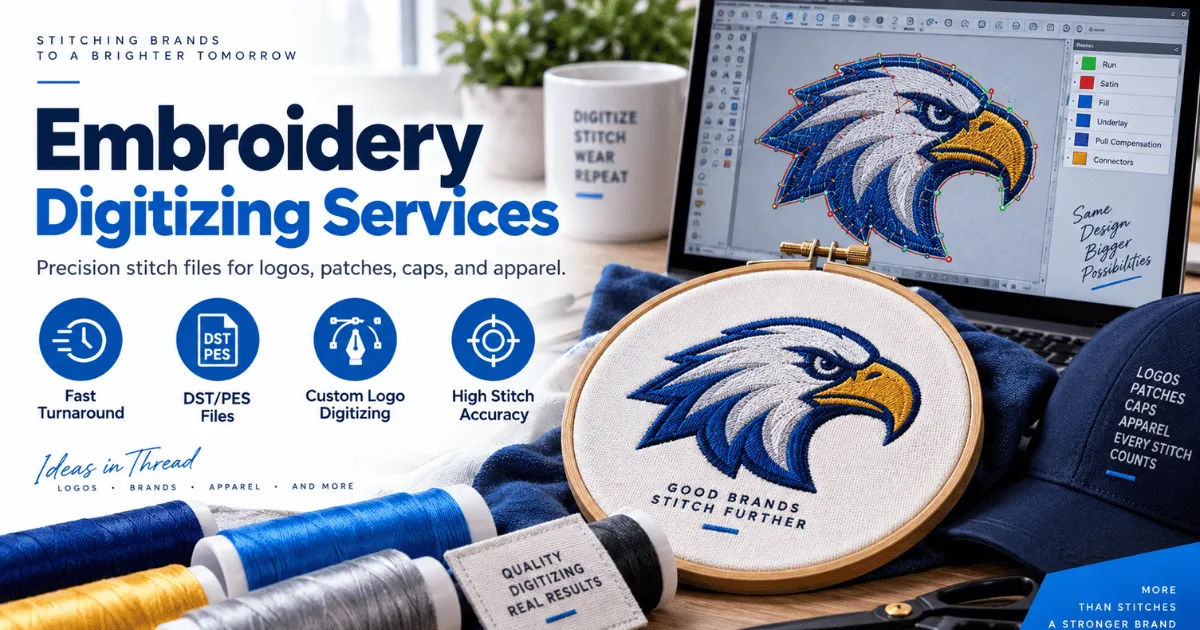 This is where an embroidery digitizing company becomes important. Digitizing professionals convert artwork into stitch-based embroidery files that contain information about stitch types, thread colors, stitch directions, and other machine instructions.
One question many embroidery businesses and hobbyists ask is whether an embroidery digitizing company supports the PES file format. The answer is generally yes. PES is one of the most widely recognized embroidery file formats, particularly among users of Brother and Baby Lock embroidery machines. However, support can vary depending on the digitizing provider, the machine being used, and the requirements of the project.
Understanding PES support can help you avoid compatibility problems and make sure your finished design stitches correctly. In this guide, we will explain what PES is, why it matters, how digitizing companies create PES files, and what you should check before ordering an embroidery design.
What Is the PES Embroidery File Format?
PES is a digital embroidery file format associated primarily with Brother embroidery machines and several compatible systems. The file contains instructions that tell an embroidery machine how to reproduce a design using stitches.
Unlike an ordinary image file such as JPG or PNG, a PES file does not simply contain a picture. It contains embroidery-specific information.
This can include stitch locations, stitch sequences, thread colors, stitch types, and other machine-readable instructions. The embroidery machine reads this information and uses it to create the design on fabric.
For this reason, converting an image into PES is not simply a matter of changing the file extension. Professional digitizing is required to create a functional embroidery file.
Why Does PES Support Matter?
PES support matters because embroidery machines do not all use the same file formats. A machine may accept PES while another machine may require DST, EXP, JEF, VP3, or another format.
If you own a Brother embroidery machine, for example, PES may be one of the formats you commonly use. If your digitizer sends you a file that your machine cannot recognize, you may not be able to load the design properly.
Working with an embroidery digitizing company that understands your machine's requirements can reduce this problem.
The provider can create the design in the appropriate format and make sure the digitized file is suitable for the intended embroidery equipment.
Does an Embroidery Digitizing Company Usually Support PES?
Yes, many professional digitizing providers support PES.
PES is a common format in the embroidery industry, so experienced digitizers are usually familiar with creating and exporting designs in this format. However, you should never assume that every company supports every embroidery format.
Before placing an order, check the company's supported file types. You can also tell the digitizer the exact embroidery machine or software you intend to use.
A professional embroidery digitizing company may offer several formats with the same order. For example, a customer might request PES for a Brother machine while also requesting DST for commercial equipment.
Providing multiple formats can be useful when the same design needs to be embroidered using different machines.
How Does a Digitizer Create a PES File?
Creating a PES file involves much more than saving an image in a different format.
The process normally begins with artwork. The customer may provide a logo, illustration, text design, photograph, or another visual reference.
The digitizer examines the artwork and decides how it should be represented with stitches.
Artwork Preparation
The first step is usually preparing the artwork for digitizing.
The digitizer may remove unnecessary details, simplify complicated areas, adjust proportions, and identify the major elements of the design.
This is especially important when the original artwork contains very small details. Some details that look excellent on a computer screen may not translate well into embroidery.
Stitch Planning
Next, the digitizer determines which stitch types should be used.
Common embroidery stitches include satin stitches, fill stitches, and running stitches. Each stitch type serves a different purpose.
Satin stitches can work well for borders, lettering, and narrow shapes. Fill stitches are useful for larger areas. Running stitches can be used for outlines and fine details.
The digitizer also decides the order in which different sections should be stitched.
Stitch Direction
Stitch direction is another important consideration.
The direction of stitches can influence the texture and appearance of an embroidered design. Professional digitizers use stitch angles strategically to make shapes look natural and visually balanced.
Poor stitch direction can make an otherwise attractive logo appear uneven or distorted.
Density and Underlay
Stitch density must also be carefully controlled.
If too many stitches are placed in a small area, the fabric may become stiff or puckered. If too few stitches are used, the design may appear weak or incomplete.
Underlay stitches provide additional support beneath visible stitches. They can help stabilize the fabric and improve the appearance of the final embroidery.
An experienced embroidery digitizing company considers these technical factors before exporting the final PES file.
What Information Is Stored in a PES File?
A PES file contains embroidery instructions rather than just visual artwork.
Depending on the version and software involved, it can contain information related to stitch coordinates, thread colors, stitch order, design information, and other embroidery data.
The machine uses this information to determine where and how the needle should move.
This is why a properly digitized PES file is so important. Simply converting a JPG into PES using an automatic converter may produce a file, but that does not necessarily mean the design will stitch well.
Professional digitizing focuses on embroidery performance rather than just file conversion.
Is PES Suitable for Logos?
PES can be an excellent format for embroidered logos when the design has been properly digitized.
Business logos often contain text, symbols, borders, and multiple colors. Each element must be converted into stitches carefully.
Small lettering can be especially challenging. Text that looks clear in a high-resolution digital image may become difficult to read when embroidered at a small size.
A professional embroidery digitizing company can adjust lettering, stitch density, spacing, and other elements to improve the embroidered result.
The goal is not merely to reproduce the appearance of the original artwork. The goal is to make the artwork work effectively as embroidery.
Can PES Files Be Used for Caps and Hats?
PES can be used for many types of embroidery projects, including caps and hats, provided the machine and software support the format.
However, creating a PES file for a hat involves special considerations.
Caps have curved surfaces, limited embroidery areas, and construction features that can make stitching more difficult. The digitizer may need to adjust stitch direction, density, sequencing, and underlay to accommodate the shape of the cap.
A design that works perfectly on a flat shirt may require modifications before it can be stitched successfully on a structured cap.
This is another reason to work with an experienced embroidery digitizing company rather than relying entirely on automatic conversion tools.
Does PES Work With Every Embroidery Machine?
No.
PES is widely used, but it is not a universal embroidery format.
Different embroidery machine manufacturers and models may require different formats. Even machines from the same manufacturer can have different requirements depending on their model and software.
Before ordering a digitized design, identify the exact machine you will use.
If you are unsure which format your machine needs, check the machine's documentation or embroidery software information.
You can also provide the model details to your digitizer. A knowledgeable embroidery digitizing company can then recommend an appropriate format based on the available information.
PES Versus Other Common Embroidery Formats
PES is only one of several embroidery file formats.
DST is widely associated with commercial embroidery machines and is commonly used in professional embroidery production.
JEF is associated with Janome embroidery systems.
EXP is another format commonly encountered in professional embroidery workflows.
VP3 is used by certain embroidery systems and software.
The important point is that no single format is automatically best for every machine.
The correct format depends on your equipment and workflow. A professional embroidery digitizing company may therefore provide several file formats so that customers can use the same digitized artwork with different machines.
What Should You Tell Your Digitizer?
When requesting a PES file, provide as much useful information as possible.
Start by giving the original artwork in the highest-quality format available. A clean vector file is often helpful, although many professional digitizers can work with raster images as well.
Next, tell the digitizer the desired embroidery size.
A design intended for a small chest logo will need different digitizing decisions than a large jacket-back design.
You should also provide the type of garment or product. Embroidery on cotton, denim, fleece, caps, jackets, and other materials can require different approaches.
Finally, provide the embroidery machine information and specify that you need PES if your equipment requires it.
Clear communication helps an embroidery digitizing company create a file that better matches your production requirements.
Why Automatic Image-to-PES Conversion May Not Be Enough
There are software programs and online services that claim to convert images into embroidery formats automatically.
These tools can be convenient for simple designs, but automatic conversion does not necessarily produce professional embroidery.
Embroidery requires decisions about stitch direction, density, sequencing, pull compensation, underlay, and other technical details.
An automatic system may not understand how a particular design will behave on a particular fabric.
For simple artwork, automated tools may sometimes produce usable results. However, professional logos, detailed illustrations, small lettering, and production-quality designs generally benefit from skilled digitizing.
An embroidery digitizing company can evaluate the design as embroidery rather than treating it as an ordinary digital picture.
How Can You Check a PES File Before Production?
Testing is one of the best ways to identify problems before starting a large embroidery order.
If possible, preview the PES file using compatible embroidery software. A preview can help you inspect the stitch sequence, colors, size, and general structure of the design.
However, a software preview is not a substitute for an actual stitch-out.
A physical test allows you to see how the design behaves on the intended material.
Look for problems such as excessive density, gaps, thread breaks, puckering, poor registration, or unclear lettering.
If problems appear, communicate them to your digitizer. The design may need adjustments rather than simply being converted into another file format.
What If Your Company Does Not Support PES?
If your current provider does not support PES, you still have several options.
First, ask whether they can export the design in PES through compatible embroidery software.
Second, ask whether they offer a different format that your machine supports.
Third, consider working with another provider if PES is essential to your workflow.
A reliable embroidery digitizing company should clearly explain which formats it supports rather than leaving customers to discover compatibility problems after receiving their files.
Can One Design Be Supplied in Multiple Formats?
Yes, this is common in professional embroidery workflows.
A digitizer can often export the same underlying design into multiple machine-specific formats.
For example, a customer may need PES for one embroidery machine and DST for another.
However, exporting into another format does not always guarantee identical results across all machines. Different machines can interpret embroidery data differently.
The design should therefore be tested with the equipment and materials that will actually be used.
Asking an embroidery digitizing company for the formats you need at the beginning can make the production process more convenient.
How Much Does PES Digitizing Cost?
The price of PES digitizing varies depending on the complexity of the design.
A simple logo with a few shapes and colors may require less work than a detailed illustration containing numerous sections, gradients, small details, and complicated lettering.
The required embroidery size can also influence the amount of digitizing work.
Additional services, such as revisions, multiple formats, special effects, or complex hat and 3D puff digitizing, may affect pricing as well.
Instead of choosing a provider based only on the lowest price, consider the quality of the digitized file, turnaround time, customer support, and revision policy.
A skilled embroidery digitizing company can help prevent costly production mistakes caused by poorly prepared embroidery files.
Questions to Ask Before Ordering a PES File
Before choosing a digitizing provider, ask a few practical questions.
Does the company support PES?
Can it work with your specific embroidery machine?
Will you receive a stitch preview?
Does the service include revisions?
Can the company provide other formats if needed?
Does it test complicated designs?
How quickly will the digitized file be delivered?
These questions can help you compare providers and avoid misunderstandings.
It is also useful to ask whether the company has experience with the type of design you need. Someone who regularly handles logos may approach a detailed character illustration differently from a simple text design.
Common Problems With PES Embroidery Files
Several issues can occur when a PES file has not been properly digitized.
One common problem is excessive thread density. Too many stitches can create stiffness and fabric distortion.
Another issue is poor stitch sequencing. Incorrect sequencing can increase unnecessary jumps, trims, and thread changes.
Small lettering can also become unreadable if it has not been digitized appropriately.
Poor registration may occur when different sections of the design do not align correctly during stitching.
These problems demonstrate why file format alone does not determine embroidery quality. A PES file can be technically compatible with a machine while still being poorly digitized.
Professional digitizing is about creating a functional embroidery design, not merely producing a file with a PES extension.
Tips for Getting Better PES Results
To get the best results, begin with high-quality artwork.
Tell the digitizer the exact finished size and intended garment.
Provide the embroidery machine model whenever possible.
Mention whether the design will be placed on a cap, shirt, jacket, bag, or another product.
Request a preview before production when available.
Always perform a test stitch for important or large orders.
If the design contains tiny text or complicated details, ask whether those elements should be simplified for embroidery.
Most importantly, communicate clearly with your embroidery digitizing company about your expectations and production requirements.
For businesses, designers, and embroidery enthusiasts, PSA Digitizing offers a simple way to turn artwork into professional machine embroidery files. This embroidery digitizing company converts logos and other artwork into formats such as DST, PES, JEF, and more. Operating from Clarkston, Georgia, USA, the team uses modern digitizing software alongside hands-on expertise to create files designed for clean stitching and accurate reproduction.
PSA Digitizing is also known for providing convenient service and dependable turnaround. Its 4.5+ star Trustpilot rating reflects the trust it has developed with customers who need embroidery digitizing support. Whether the project involves a company logo, a custom patch, or a machine-ready embroidery design, the focus remains on precision and ease. To submit your artwork and start a project, visit psadigitizing.com.
Conclusion
Yes, an embroidery digitizing company can generally support PES, and many professional providers regularly create PES files for customers using compatible Brother and other embroidery machines. PES is an important format in the embroidery industry, but simply having a PES file does not guarantee a high-quality embroidered result.
The quality of the digitizing process is much more important than the file extension itself. A properly created PES design contains carefully planned stitches, appropriate density, suitable underlay, correct sequencing, and effective stitch directions. These decisions help transform ordinary artwork into embroidery that can look clean and professional when stitched.
Before ordering, confirm that your provider supports PES and give them the exact machine information, embroidery size, material, and intended application. This information allows the digitizer to make better technical decisions.
It is also wise to request a preview and test the design before beginning a large production run. Testing can reveal issues that are difficult to notice from a digital preview alone.
If you need several embroidery formats, ask whether the same design can be supplied as PES, DST, JEF, or another format suitable for your equipment. This can make your design more versatile and useful across different machines.
Ultimately, choosing the right embroidery digitizing company means looking beyond format compatibility. Consider experience, stitch quality, communication, revision policies, turnaround time, and the provider's ability to understand your specific embroidery requirements.
PES is a valuable and widely used format, but successful embroidery depends on the quality of the instructions inside the file. When the artwork is professionally digitized and properly tested, a PES file can provide an effective foundation for producing clean, durable, and attractive embroidered designs.