
In today’s digital world, people often need quick ways to access information about products, websites, payments, and other digital details. A scan barcode free online tool makes this possible by allowing users to read barcode information without installing expensive software or purchasing special equipment.
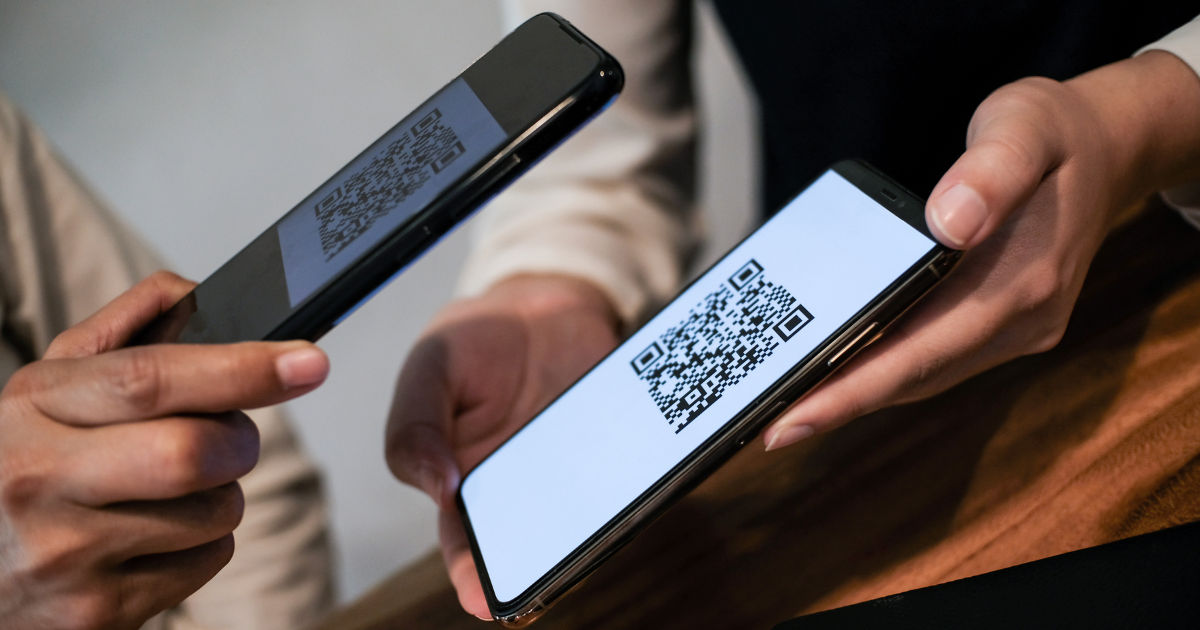
These tools use a device’s camera or an uploaded image to identify barcode patterns and convert them into useful information.Online barcode scanners have become popular because they are simple, fast, and accessible from almost any device.
Whether someone wants to check a product number, read a QR code, access a website link, or organize inventory information, browser-based barcode scanning tools provide a convenient solution.Understanding how a scan barcode free service works helps users know what happens behind the scenes, how accurate these tools are, what types of barcodes they support, and when they are most useful.
What Is an Online Barcode Scanner?
An online barcode scanner is a web-based tool that reads barcode patterns using a computer, smartphone, or tablet. Instead of downloading a dedicated application, users can open a website, allow camera access, and scan a barcode directly.
A barcode is a visual representation of data. It usually contains numbers, letters, or other information stored in a pattern of lines, squares, or dots. The scanner analyzes this pattern and translates it into readable information.
Traditional barcode scanners used in stores and warehouses rely on specialized hardware. Online scanners replace that hardware with modern camera technology and software algorithms.
A scan barcode free platform typically works through these basic steps:
- The user opens an online scanning tool.
- The device camera captures the barcode image.
- The scanner analyzes the barcode pattern.
- The system identifies the barcode format.
- The information is converted into readable text or a link.
The entire process usually takes only a few seconds.
How Does Online Barcode Scanning Technology Work?
Although scanning a barcode looks simple, several technical processes happen in the background. Online scanners combine camera technology, image processing, and barcode recognition systems.
Capturing the Barcode Image
The first step is capturing a clear image of the barcode. A smartphone camera or computer webcam acts as the scanner.
The camera collects visual data and sends the image to the scanning software. Good lighting, proper distance, and a steady camera help improve scanning accuracy.
If the barcode is blurry, damaged, or too far away, the scanner may struggle to recognize it.
Detecting Barcode Patterns
After capturing the image, the software examines the visual details. It searches for specific patterns that identify a barcode.
For traditional barcodes, the system looks at:
- The width of black and white lines
- The spacing between lines
- The position of numbers
- The barcode structure
For QR codes and similar formats, the scanner looks for:
- Square patterns
- Alignment markers
- Data blocks
- Error correction information
This analysis allows the software to understand where the barcode starts and ends.
Converting Images Into Data
Once the barcode pattern is identified, the system converts the visual information into digital data.
For example, a product barcode may contain a unique identification number. The scanner reads this number and displays it on the screen.
Some barcode scanners connect the code with online databases. This allows users to see additional information, such as product names, prices, or manufacturer details.
Types of Barcodes That Online Scanners Can Read
Modern barcode scanning tools support many different barcode formats. The exact formats supported depend on the platform being used.
UPC Barcodes
UPC (Universal Product Code) barcodes are commonly found on retail products. They are widely used in supermarkets and stores.
These barcodes usually contain product identification numbers that help businesses manage sales and inventory.
QR Codes
QR codes are among the most popular modern barcode types. They can store more information than traditional barcodes.
QR codes are commonly used for:
- Website links
- Digital payments
- Contact information
- Event tickets
- App downloads
A scan barcode free tool can often read QR codes instantly because smartphone cameras are designed to recognize these patterns.
Code 128 Barcodes
Code 128 is frequently used in shipping, logistics, and warehouse operations. It can store large amounts of information in a compact format.
Businesses use these barcodes to track packages and manage inventory systems.
EAN Barcodes
EAN barcodes are commonly used internationally for retail products. They are similar to UPC codes but are widely used outside North America.
Online barcode scanners often support EAN formats because they are common worldwide.
How to Use a Free Online Barcode Scanner
Using an online barcode scanner is usually straightforward. Most platforms follow a similar process.
Step 1: Open the Scanner Website
The first step is visiting a reliable online barcode scanning service through a web browser.
Most tools work with popular browsers on smartphones, tablets, and computers.
Step 2: Allow Camera Access
If scanning live, the website will request permission to use the device camera.
Users should check browser permissions and allow camera access for the scanner to function properly.
Step 3: Position the Barcode
Place the barcode inside the camera frame. Keep the device steady and make sure the entire barcode is visible.
Good lighting and clear focus help the scanner recognize the code faster.
Step 4: View the Results
Once the barcode is detected, the scanner displays the information connected to it.
Depending on the barcode type, results may include:
- Product details
- Website addresses
- Text information
- Identification numbers
Benefits of Using an Online Barcode Scanner
Online barcode scanning offers several advantages for individuals and businesses.
No Installation Required
One of the biggest benefits is convenience. Users do not need to download an application or install additional software.
A browser-based scan barcode free solution allows quick access whenever needed.
Works on Multiple Devices
Online scanners can work on many devices, including:
- Smartphones
- Tablets
- Laptops
- Desktop computers
This flexibility makes them useful for different situations.
Saves Time
Manual entry of barcode numbers can be slow and may lead to mistakes. Scanning automatically captures information within seconds.
This is especially useful for inventory checks, product research, and organizing items.
Cost Effective
Many online barcode scanners are available without payment. Small businesses and individuals can use them without investing in expensive scanning equipment.
Common Uses of Online Barcode Scanners
Barcode scanning technology is used in many areas of daily life.
Shopping and Product Research
Consumers can scan product barcodes to find additional information, compare prices, or verify product details.
This helps shoppers make better purchasing decisions.
Inventory Management
Businesses use barcode systems to track products, monitor stock levels, and organize warehouses.
Online scanners can be useful for small businesses that need basic barcode reading without expensive equipment.
Digital Payments
Many payment systems use QR codes for quick transactions.
Users can scan payment codes to complete transactions without manually entering account details.
Accessing Online Content
QR codes are often placed on advertisements, packaging, posters, and menus.
Scanning these codes can open websites, promotions, videos, or digital resources.
Factors That Affect Barcode Scanning Accuracy
Although online barcode scanners are convenient, several factors can influence performance.
Image Quality
A clear image produces better results. Low-quality cameras or blurry pictures can make scanning difficult.
Barcode Condition
Damaged, scratched, or faded barcodes may not scan correctly.
Lighting Conditions
Poor lighting can reduce image clarity. Bright but balanced lighting usually provides better scanning results.
Internet Connection
Some online scanners process information through web servers. A slow internet connection may affect loading speed.
Are Online Barcode Scanners Safe to Use?
Most reputable barcode scanners are designed to provide simple scanning functions. However, users should still be careful when opening unknown links.
A barcode itself is usually just stored information, but it may direct users to websites. Before entering personal information or downloading files, users should verify that the destination is trustworthy.
For privacy protection, users should choose services that clearly explain how camera access and uploaded images are handled.
Limitations of Free Online Barcode Scanners
While online barcode tools are useful, they may not replace professional barcode equipment in every situation.
Some limitations include:
- Dependence on camera quality
- Difficulty reading damaged codes
- Limited database information
- Internet requirements for some services
Professional businesses handling thousands of products may still require dedicated scanners and inventory software.
Tips for Better Barcode Scanning Results
To improve scanning performance, users can follow a few simple tips:
Keep the Camera Steady
Movement can create blurry images. Holding the device still helps the scanner recognize details.
Use Proper Lighting
Avoid extremely dark environments or strong reflections.
Clean the Barcode Surface
Dust, scratches, or dirt can interfere with recognition.
Maintain the Right Distance
Move the camera closer or farther until the barcode appears sharp and clear.
Future of Online Barcode Scanning
Barcode technology continues to improve as cameras and artificial intelligence become more advanced.
Future online scanners may provide faster recognition, better accuracy, and improved connections with product databases.
Artificial intelligence can help scanners identify damaged barcodes and recognize different formats more effectively.
As smartphones become more powerful, browser-based scanning tools will likely become even more common for everyday users and businesses.
Conclusion
Online barcode scanners have changed the way people interact with product information and digital content. A scan barcode free tool provides an easy method to read barcodes using devices that many people already own, such as smartphones and computers.
The technology behind these tools involves image capture, pattern recognition, and data conversion. Although the process appears instant, advanced software works behind the scenes to identify barcode structures and translate them into useful information.
Free online scanners are valuable for shopping, inventory tracking, digital payments, and accessing online resources. They save time, reduce manual errors, and remove the need for expensive equipment.
However, users should remember that scanning accuracy depends on image quality, barcode condition, and device performance. Choosing reliable tools and following basic scanning practices ensures better results.
As technology continues to advance, online barcode scanning will become faster, smarter, and more integrated into everyday activities. For individuals and small businesses looking for a simple way to read barcode information, a scan barcode free solution remains a practical and convenient option.